Operational Check of the Avionics Equipment Ventilation-System via MCDU A320
1.Reason for the Job
OPERATIONAL CHECK OF SYSTEM VIA MCDU
2. Job Set-up Information
3. Job Set-up.
SUBTASK 21-26-00-865-050-A
A. Make sure that this(these) circuit breaker(s) is(are) closed:
| PANEL | DESIGNATION | FIN | LOCATION |
| 49VU | ENGINE/2/FADEC A/AND EIU 2 | 2KS2 | A05 |
| 49VU | ENGINE/1/FADEC A/AND EIU 1 | 2KS1 | A04 |
| 49VU | AIR COND/AVNCS VENT/CTL | 6HQ | D06 |
| 49VU | AIR COND/AVNCS VENT/CTL | 5HQ | D05 |
| 122VU | AIR COND/AVNCS/VENT/MONG | 3HQ | Y17 |
| 123VU | AVNCS VENT/BLOWER/FAN | 1HQ | AD10 |
| 123VU | AVNCS VENT/EXTC/FAN | 2HQ | AE02 |
SUBTASK 21-26-00-941-104-A
B. Safety Precautions
(1) Make sure that the throttle control levers of engines 1 and 2 are at idle.
SUBTASK 21-26-00-861-050-A
C. Energize the aircraft electrical circuits Ref. AMM TASK 24-41-00-861-002
NOTE: The energization of the aircraft electrical circuits starts a full test of the ventilation system. The test continues for 2 minutes approximately.
SUBTASK 21-26-00-860-050-D
D. Aircraft Maintenance Configuration
- (1) On the VENTILATION section of panel 22VU:
— Make sure that the BLOWER and the EXTRACT pushbutton switches are in the AUTO configuration (pushed, with the FAULT and OVRD legends off).
- (2) On the CABIN PRESS section of overhead panel 25VU:
— Make sure that the DITCHING pushbutton switch is released (ON legend off).
- (3) Do the EIS start procedure (upper ECAM DU and lower ECAM DU only) Ref. AMM TASK 31-60-00-860-001.
- (4) On the ECAM control panel, push the PRESS pushbutton switch.
- (5) On the lower ECAM DU:
— The PRESS page comes into view and shows the skin air-inlet (INLET) and skin air-outlet (OUTLET) valves in the open position (if the outside air temperature is more than or equal to 12 deg.C (53.60 deg.F)).
NOTE:
-Condition 1 : if the outside air temperature measured by the 28HQ is less than 9 deg.C (48.20 deg.F), the skin air-inlet and skin air-outlet valves are closed.
-Condition 2 : if the outside air temperature measured by the 28HQ is more than or equal to 12 deg.C (53.60 deg.F), the skin air-inlet and skin air-outlet valves are open.
4. Procedure
SUBTASK 21-26-00-710-050-D
A. Operational Test of the Avionics Equipment Ventilation-System with the MCDU
NOTE: If you used the MMEL 21-26-04A, refer to the results related to the deactivation of the skin air-outlet valve (22HQ) and the skin exchanger isolation-valve (24HQ) Ref. AMM TASK 21-26-00-040-002
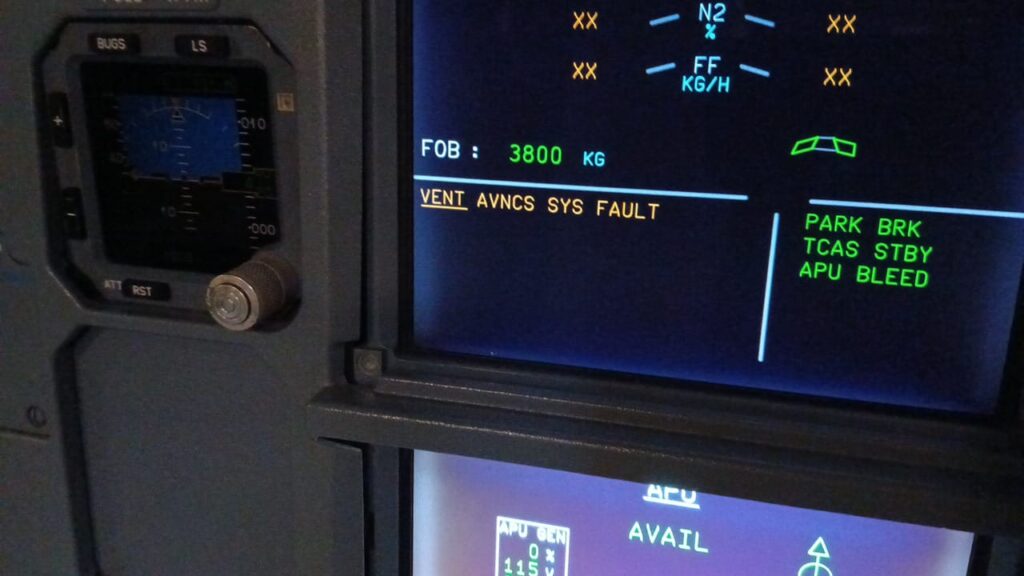
NOTE: If you do this procedure after you apply a MMEL task, make sure that the ECAM alert «VENT AVNCS SYS FAULT» is cleared.
| ACTION | RESULT |
| 1.On circuit breaker panels 49VU and 122VU:-Open circuit breakers 3HQ, 5HQ and 6HQ. | After approximately 30 seconds:-You can hear the mechanical call horn in the nose landing-gear well.-If the mechanical call horn does not operate, refer to the related external ground-horn item in the MMEL.NOTE:The mechanical call horn operates only if engine 1 and engine 2 are stopped. |
| 2.On panel 108VU, push the RESET pushbutton switch. | -The mechanical call horn stops. |
| 3.On circuit breaker panels 49VU and 122VU:-Close circuit breakers 3HQ, 5HQ and 6HQ. | NOTE:The energization of the aircraft electrical circuits starts a full self-test of the ventilation system. The test continues for approximately two minutes. |
| 4.On one MCDU, get the SYSTEM REPORT/TEST AIR COND menu page Ref. AMM TASK 31-32-00-860-002. | |
| 5.On one MCDU, on the AIR COND menu page, push the line key adjacent to the AEVC indication. | -The AEVC page comes into view. |
| 6.Push the line key adjacent to the TEST indication. | On the AEVC/TEST page:-The TEST WAIT indication comes into view for 85 seconds.The blower and extract fans stop.On the VENTILATION section of panel 22VU:-The FAULT legends of the BLOWER and EXTRACT pushbutton switches come on.On the ELEC section of panel 21VU:-The SMOKE legend of the GEN 1 LINE pushbutton switch comes on.After approximately ten seconds:-The blower and extract fans start.On the VENTILATION section of panel 22VU:-The FAULT legends of the BLOWER and EXTRACT pushbutton switches go off.On the ELEC section of panel 21VU:-The SMOKE legend of the GEN 1 LINE pushbutton switch goes off.On the PRESS page of the lower ECAM DU:-The skin air-inlet and skin air-outlet valves are shown as open.NOTE:- The conditioned-air inlet valve opens during the sequence.- The skin-exchanger inlet bypass-valve, the skin-exchanger outlet bypass-valve and the skin-exchanger isolation valve close. |
| 7.Approximately 20 seconds after the start of the test, do a check of the positions of the skin air-inlet and skin air-outlet valves. | On the PRESS page of the lower ECAM DU:-The skin air-inlet and skin air-outlet valves are shown as closed.NOTE:- The skin-exchanger inlet bypass-valve and the skin-exchanger isolation valve open.- The skin-exchanger outlet bypass-valve and the conditioned-air inlet valve close. |
| 8.Approximately 40 seconds after the start of the test, do a check of the positions of the skin air-inlet and skin air-outlet valves. | On the PRESS page of the lower ECAM DU:-The skin air-inlet valve is shown as closed.-The main flap of the skin air-outlet valve is fully closed with the internal flap in fully open position.NOTE:- The skin-exchanger inlet bypass-valve, the skin-exchanger outlet bypass-valve and the skin-exchanger isolation valve open.- The conditioned-air inlet valve is closed. |
| 9.More than one minute after the start of the test, do a check of the positions of the skin air-inlet and skin air-outlet valves. | On the PRESS page of the lower ECAM DU:-The positions of the skin-air inlet and skin air-outlet valves are the same as before the start of the test:. Closed when the temperature is less than 9 deg.C (48.20 deg.F).. Open when the temperature is more than or equal to 12 deg.C (53.60 deg.F).NOTE:The skin-exchanger inlet bypass-valve, the skin-exchanger outlet bypass-valve, the skin-exchanger isolation valve and the conditioned-air inlet valve are in the position that is related to the outside air temperature.On the AEVC/TEST page:-If the AEVC/TEST senses no failure, the TEST OK indication comes into view.-If the AEVC senses a failure, the message(s) related to the failure and the END OF TEST indication come into view. |
| 10.On the MCDU, push the line select key adjacent to the RETURN indication until the CFDS menu page comes into view. |
5. Close-up
SUBTASK 21-26-00-860-051-A
A. Put the aircraft back to its initial configuration.
(1) Do the EIS stop procedureRef. AMM TASK 31-60-00-860-002
SUBTASK 21-26-00-862-050-A
B. De-energize the aircraft electrical circuits Ref. AMM TASK 24-41-00-862-002